Step by step
Ten steps, from setting up your website to reporting on it. Each one shows what to do next and which pages it affects.

Run your own website or manage SEO for clients. Audit pages, research keywords, improve content and track progress in one place. Works with websites on any platform. Use the free WordPress plugin to speed up WordPress sites and optimize them from Arva SEO, and connect your AI assistant to work through SEO tasks.
Free for your first website. No credit card required.

Free SEO audit · No sign-up
Check up to 50 pages for SEO issues, plus your homepage’s mobile and desktop PageSpeed performance.
We read public pages only, as ArvaSEO-Bot, and follow your robots.txt.
01Why Arva SEO
Arva SEO helps business owners and SEO specialists see what needs attention and decide what to work on first. Find and fix website issues, improve content and track progress — whether you’re managing your own website or doing SEO for clients.
Ten steps, from setting up your website to reporting on it. Each one shows what to do next and which pages it affects.
The free Arva SEO – Speed Booster & Security Scanner plugin speeds up your site, checks it for security problems and sends SEO titles, descriptions and drafts to it. Drafts by default: your site’s admin decides how far it may go.
Connect your AI assistant and do the work by asking. 56 tools read your Arva SEO data and save the work for you to check.
02See it work
The SEO workspace for business owners and SEO specialists. See the SEO guide, audits, keywords, page fixes, content, Arva Assistant, tasks and reports in 1 minute 24 seconds, plus the free WordPress plugin.
03Step by step
04AI assistants
Connect Claude, ChatGPT, Gemini or Grok to Arva SEO. Then ask in plain words: what to fix first, which searches to go after, a draft for a new page. The AI connectors give your assistant 56 tools to read your Arva SEO data and save its work there for you to check. How to connect it.
05WordPress
Install the free Arva SEO – Speed Booster & Security Scanner plugin from WordPress.org. Its PageSpeed fixes and security scan work straight away; approve it in Arva SEO to connect. No password is shared, and connecting also verifies your website.
06Features
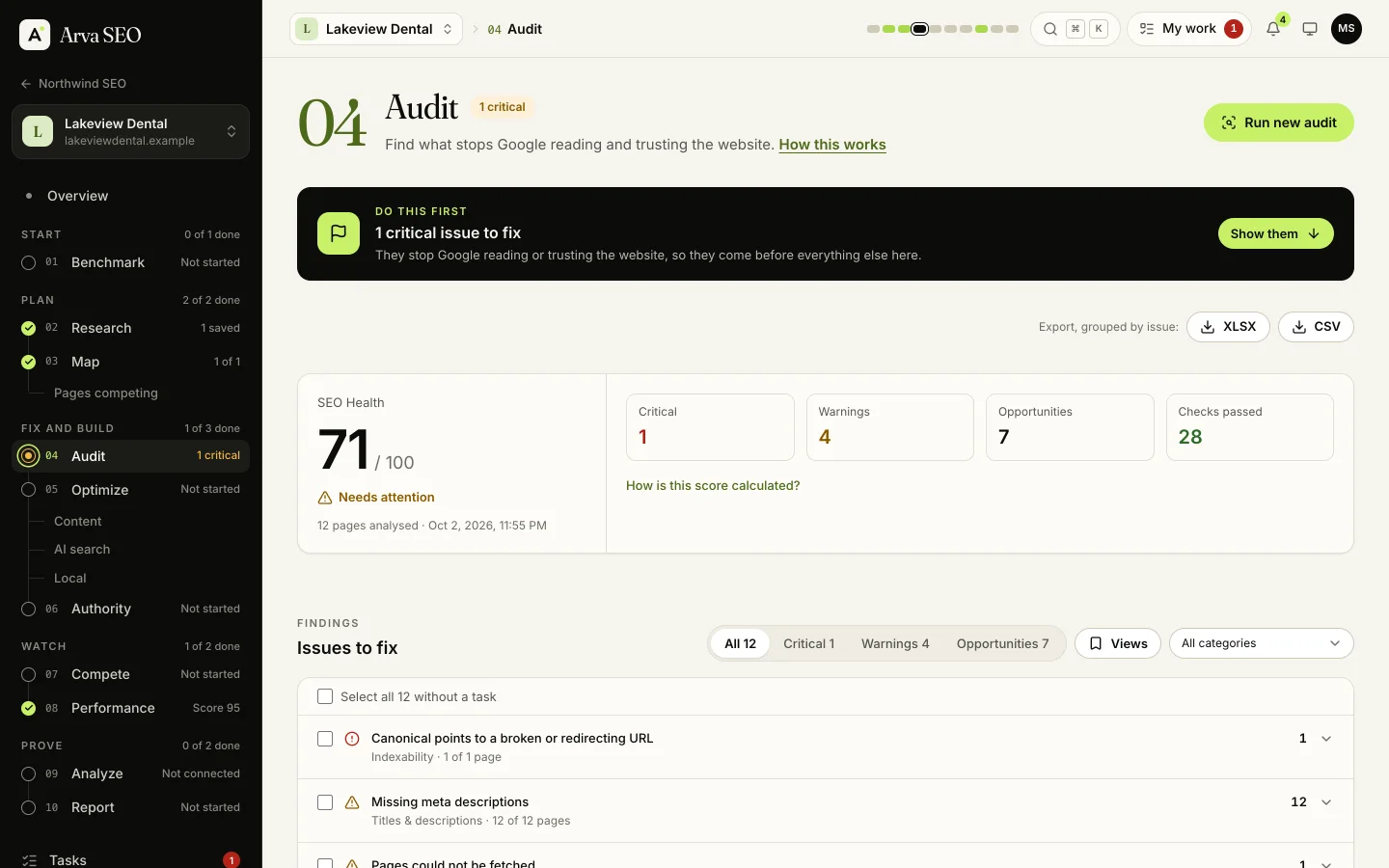
Our crawler checks titles, links, images, structured data and speed signals, grouped by issue with the pages to fix. It obeys robots.txt and checks links to other websites without ever crawling them.
Search Console, GA4 and Bing side by side: queries, landing pages, conversions and revenue.
See whether Google’s AI answers and chat assistants mention your business, and what to change to be cited.
19 AI crawlers checked
Volume, difficulty, gaps against competitors, and weekly rankings with history.
Local checks, the map pack, Business Profile comparisons and map grid scans.
Title ideas, briefs and drafts with the AI credits in every plan. Or use a connected AI assistant, or your own API key, with no credits used.
Find pages competing for the same search (keyword cannibalization), choose the one that should rank, and get the fix for the others: merge and redirect, a canonical, a rewrite or noindex.
Everything about a website in one workbook, exported to Excel or straight to Google Sheets.
Lighthouse and Core Web Vitals for the pages that matter. On WordPress, each result links to the plugin’s switch for the fix.
Pitch blogs, resource pages, vloggers and podcasters from ready-made emails that fill in the names and links for you. Send from your own inbox and follow every reply through to a live link.
A free plugin fixes what Google’s PageSpeed test finds, one switch at a time, and adds about 40 WordPress health checks with steps to fix each one, drafts sent straight to WordPress for review, and SEO titles and descriptions updated in bulk in Yoast SEO or Rank Math. No passwords are shared.
The sites linking to you, the links competitors have that you don’t, and a backlink audit that builds the disavow file.
What changed and why, as a PDF or a scheduled email. Easy to share with a partner, a manager or a consultant.
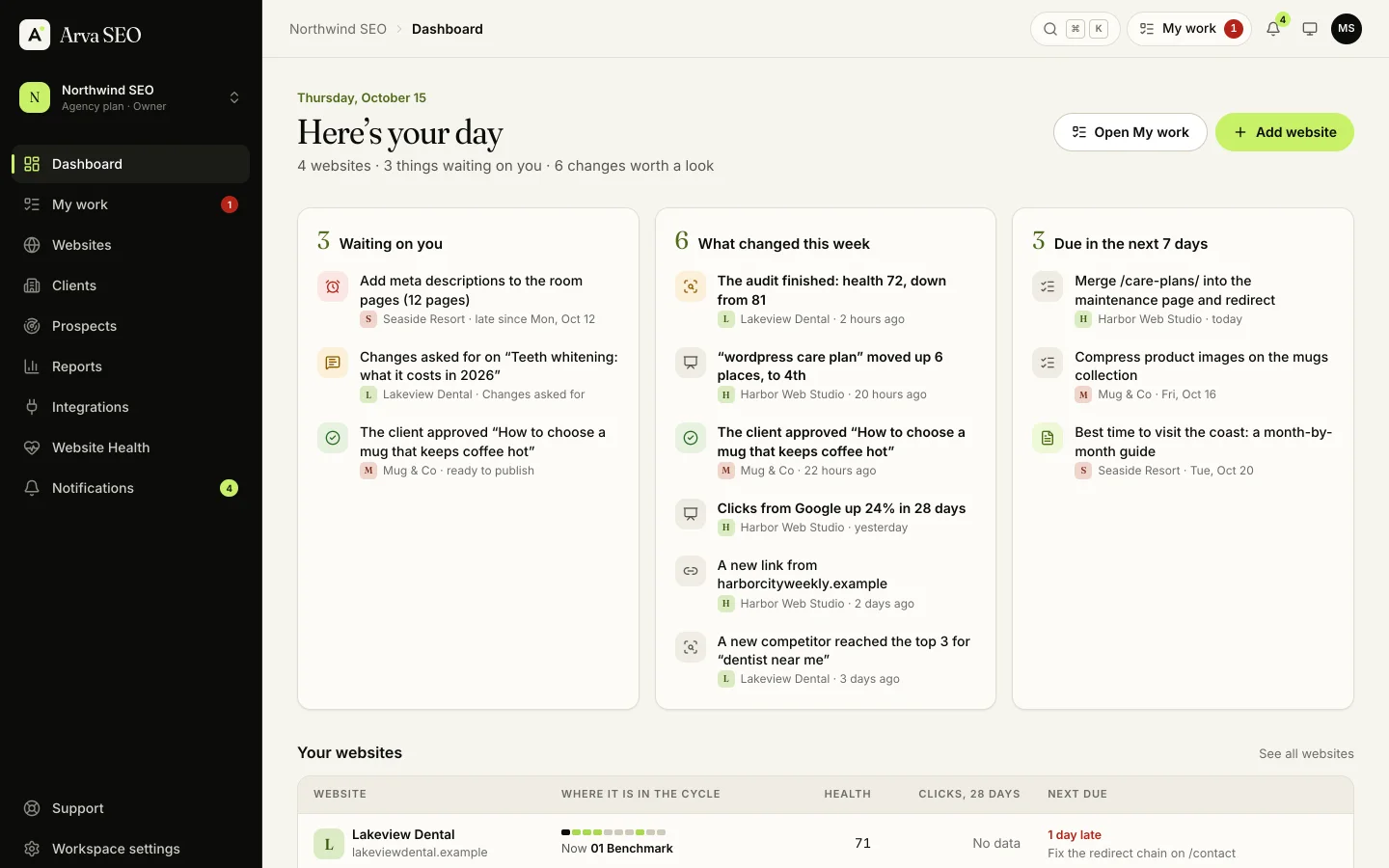
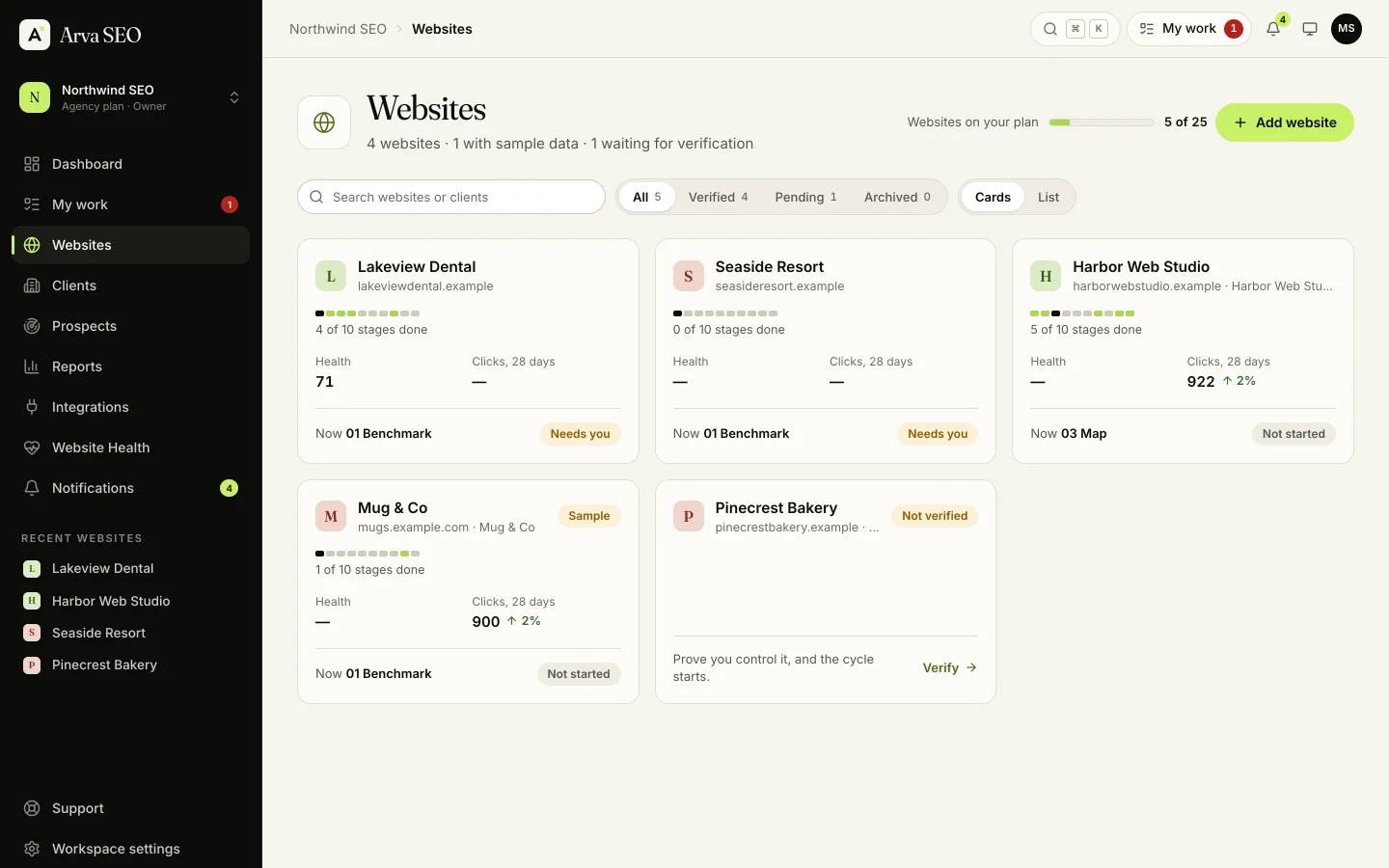
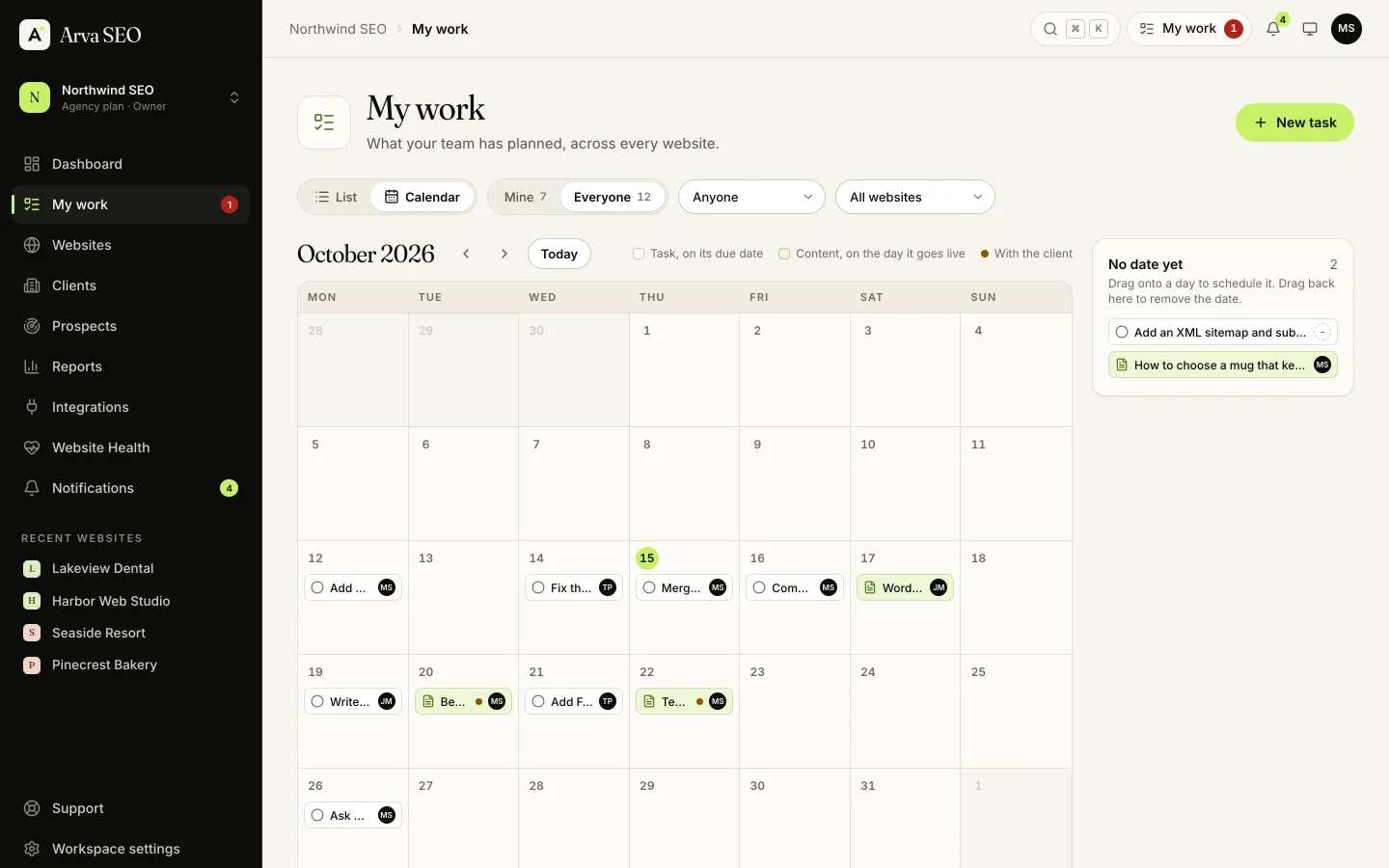
Turn audit issues into tasks in one go and give content pieces an owner. My work shows tasks and content across your websites, as a list or a calendar. Saved views keep the filters you use, and the activity log records what changed and when.
Comparison
A technical crawl or an ongoing SEO workspace?
Research depth and the work that follows.
A broad marketing toolkit or a focused SEO workflow?
Compare how you move from ideas to improvements.
Your WordPress editor and your wider SEO work.
WordPress SEO controls, with a workspace around them.
WordPress settings and the work across your websites.
07Content Studio
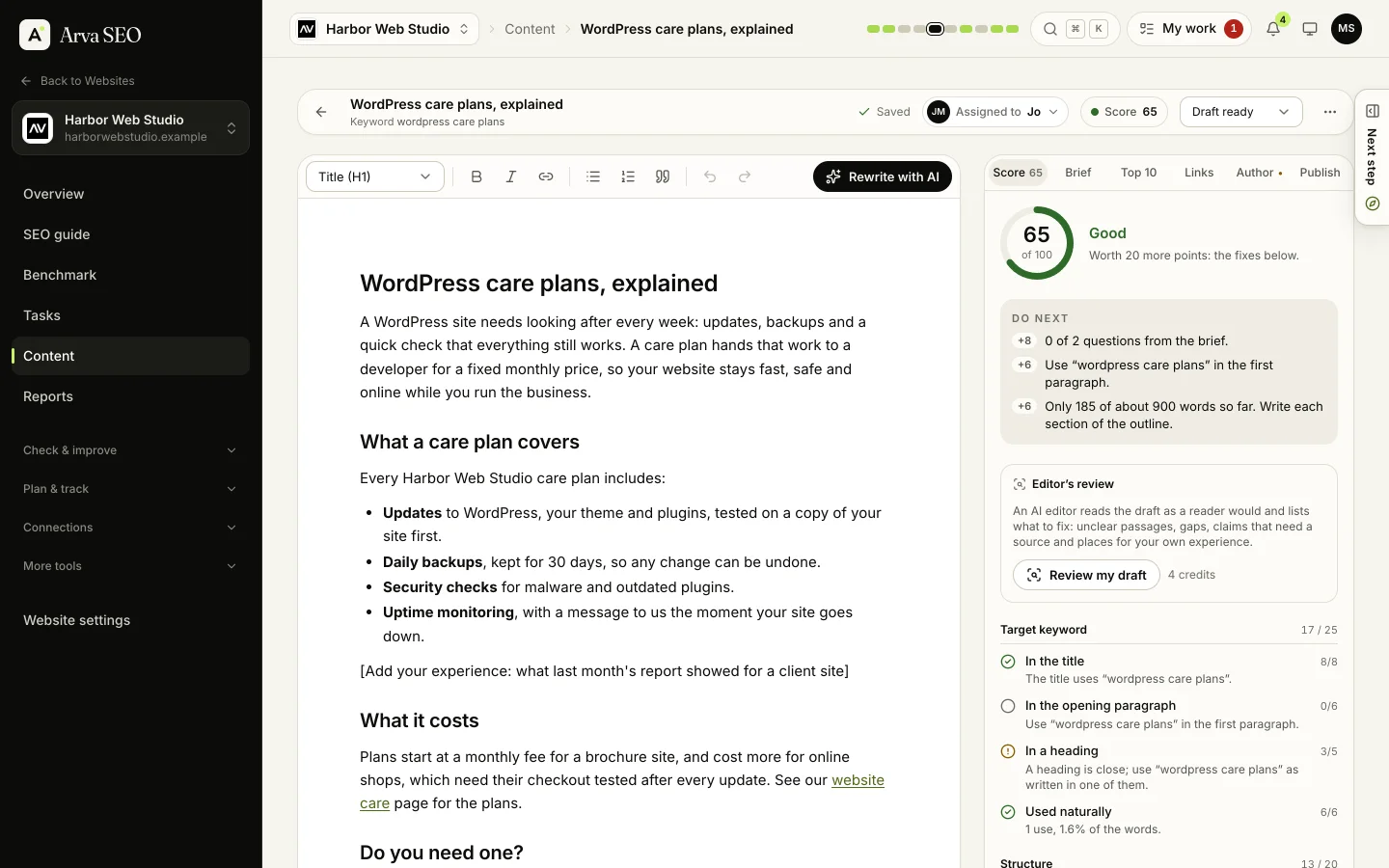
Content Studio keeps the brief, the draft and what to fix next in one editor. Write it yourself, or have AI draft it from the brief, then make every word yours. Drafts use only the experience and credentials you give them: where a real example or a source is needed, they say so instead of making one up.
08For SEO specialists
Manage client work and share clear progress. Business includes white-label client reports, weekly or monthly report emails, a client portal on your own address and 5 team members. Every plan can give a client their own portal. See client reports and the portal.
SEO report
The work.
The progress.
The next step.
09Pricing, compared
Start free for one website. Starter covers up to 3 websites for $19 a month. Compare the data, features and team access you need as well as the monthly price.
| Arva SEO | Semrush | Ahrefs | |
|---|---|---|---|
| Doing your own SEO | $19a month, Starter: 3 websites | —Entry plan compared below | —Entry plan compared below |
| Your website, and a few more | $49a month, Professional: 10 websites | $139a month, SEO: 5 websites | $129a month, Lite: 5 non-verified projects |
| Several websites or a small team | $129a month, Business: 25 websites and 5 team members | $299a month, Pro+: 15 websites | $249a month, Standard: 20 non-verified projects |
| Each extra team member | $7a month | from $45a month | from $40a month |
On every Arva SEO plan, Free too
USD monthly prices, billed monthly, checked on 29 October 2026: Semrush pricing and Ahrefs pricing. Plans and data allowances differ. Ahrefs counts verified projects separately from the non-verified limits shown here. Arva SEO tracks rankings weekly, with daily updates as an add-on. Read the Semrush comparison and Ahrefs comparison for the workflow differences. Product names belong to their owners; no affiliation is implied.
In their words
Yes. Business owners can use guided steps, while SEO specialists can investigate detailed findings, map keywords, organize client work and report progress.
Compare the workflow you need: Screaming Frog for crawl investigations, or the research and ongoing workflows in Ahrefs, Semrush and Ubersuggest. Each comparison explains where the products fit.
Yes. Arva SEO’s connector supports approved title and description updates in Yoast SEO and Rank Math. You can also audit a website using All in One SEO, with metadata changes applied manually. See the free WordPress plugin.
Arva SEO is the SEO workspace for business owners and SEO specialists. It works with websites on any platform and brings website audits, keyword research, page improvements, content, weekly rank tracking and reports into one workflow. It shows you what to do next, why it matters and where to do it. You can work in Arva SEO or through your AI assistant, and WordPress users can add the free Arva SEO – Speed Booster & Security Scanner plugin to speed up their WordPress sites and optimize them from the workspace.
Yes. Arva SEO supports public websites across platforms, including WordPress, Shopify, Wix, Webflow, Squarespace and custom-built sites. Verify your website with a meta tag, a file, a DNS record or Search Console. WordPress users can also verify and connect through the free Arva SEO – Speed Booster & Security Scanner plugin, which adds PageSpeed fixes, a security scan and WordPress health checks and sends SEO titles, meta descriptions and drafts to their site.
No. Arva SEO puts the work in order and explains each step in plain words: what to fix, which searches to go after, which pages to improve and what to write. Or ask your AI assistant to do a step for you through the Arva SEO connector. SEO still takes time, and no tool can promise rankings, but you won’t have to guess what to do next.
Create a free account, add your website and verify it’s yours with our WordPress plugin, a meta tag, a file, a DNS record or Search Console. Connect Google Search Console and Analytics, run your first audit, and move to a paid plan whenever you need more.
Yes. The Free plan covers one website, no credit card required, for as long as you use it (a Free workspace nobody uses for 90 days is closed, after three email reminders). Paid plans start at $19 a month for up to 3 websites, and add more data and features. Compare the plans.
Yes. Add https://api.arvaseo.com/mcp in your assistant’s connector settings, then sign in to Arva SEO and approve. Your assistant can work with your website’s audits, keywords, tasks and content using your existing access and plan allowances. You review the work in Arva SEO; WordPress changes stay within your site administrator’s publishing limits.
Provider availability applies. Gemini custom apps currently require a personal Google Account in the US, age 18+, English and Keep Activity enabled. Grok Business and Enterprise connections need an administrator first. See setup steps and current requirements for all four assistants.
You do the SEO yourself instead of paying an agency or a writer every month. The writing can run on the AI assistant you already use, through the Arva SEO connector, with no Arva SEO AI credits used. And Arva SEO costs less than the big SEO suites: Starter is $19 a month for up to 3 websites, and Professional $49 for up to 10.
Arva SEO audits public websites on any platform and helps you plan keywords, page improvements and content. For Shopify, Wix, Webflow, Squarespace and custom sites, apply the recommended changes in your own website editor. The optional free WordPress plugin adds PageSpeed fixes, direct SEO title and meta description updates, health checks and content delivery for WordPress. Drafts are the default; your WordPress administrator controls whether review, scheduling or publishing is allowed.
Yes. The free Arva SEO – Speed Booster & Security Scanner plugin speeds up your WordPress website and lets you optimize it from Arva SEO. Its PageSpeed fixes switch on one at a time, and you can try each one before visitors see it, and its security scan checks the site every week. Connected, it adds about 40 health checks with steps to fix each one, SEO titles and meta descriptions updated in bulk in Yoast SEO or Rank Math, and drafts sent straight to WordPress. Everything arrives as a draft by default: your site’s admin chooses whether Arva SEO may also submit for review, schedule or publish. You approve the connection in Arva SEO, and no password is shared.
It costs much less and is made for doing your own SEO. Professional is $49 a month for 10 websites, where Semrush’s SEO plan is $139 and Ahrefs Lite is $129, each for 5. Semrush and Ahrefs have bigger keyword and backlink databases and track more keywords. Arva SEO adds, on every plan, the steps in order, a WordPress plugin for speed fixes, health checks and publishing, and a connection to your AI assistant.
Hire an agency if you have no time at all for your website, or a very competitive market. If you want to understand and steer your own SEO, Arva SEO walks you through it, free for your first website, and you can still bring in a specialist. Compare the two.
Your own Google Search Console, Google Analytics and Bing Webmaster Tools, our own site crawler, Google PageSpeed Insights, and licensed keyword, ranking and backlink data. Anything estimated is labeled as an estimate.
No. Every Arva SEO plan includes AI credits for title ideas, briefs and drafts written in the workspace. You can also connect Claude, ChatGPT, Gemini or Grok where your provider account supports custom connections; that provider’s own access and usage rules apply. Work through a connected assistant uses no Arva SEO AI credits, but research and other paid actions still use your plan allowances.
For AI writing inside Arva SEO, you can instead add an OpenAI, Anthropic or Google Gemini API key. API billing is separate from a chat subscription. AI answer tracking uses those supported API keys; connecting Grok does not add Grok answer tracking.
Yes. It checks whether 19 AI crawlers can reach your website, shows when Google’s AI Overviews appear and cite it in the weekly rank checks, and, with your own AI key, asks OpenAI, Claude and Gemini models the questions your customers ask and records whether the answers mention or cite you.
Yes. Add a consultant to your workspace as a team member: Business includes 5, and paid plans can add more for $7 a month each. If you look after other businesses’ websites, group them by client. Every plan has a client portal. Starter and Professional add your logo on reports and monthly report emails, and Professional adds client emails from your own domain and the portal on your own address. Business adds fully white-label reports and weekly or monthly report emails.
No. It writes them from templates with the names and links filled in, then opens them in your own email app, so replies come straight to you and your sending reputation stays yours. It also reminds you when to follow up.
Yes. Create your account and sign in with Google, or with an email address and password.
Only your workspace. Websites are verified before work starts, and team members with the specialist role only see the websites they’re assigned to.
11Start today
Create an account in a minute, verify your website and run your first audit. Upgrade when you need more websites or data.